Make neighborhood meetings easier with OneScan!
Are you struggling to check attendance at neighborhood association meetings? With OneScan, you can distribute QR codes to participants in advance and then simply scan them on the day to check attendance! It's also easy to tally, so it's useful for planning your next meeting. We'll explain everything from preparing for the meeting to the flow of the day and how to use it in an easy-to-understand way!
What is OneScan? How to use it at neighborhood association meetings
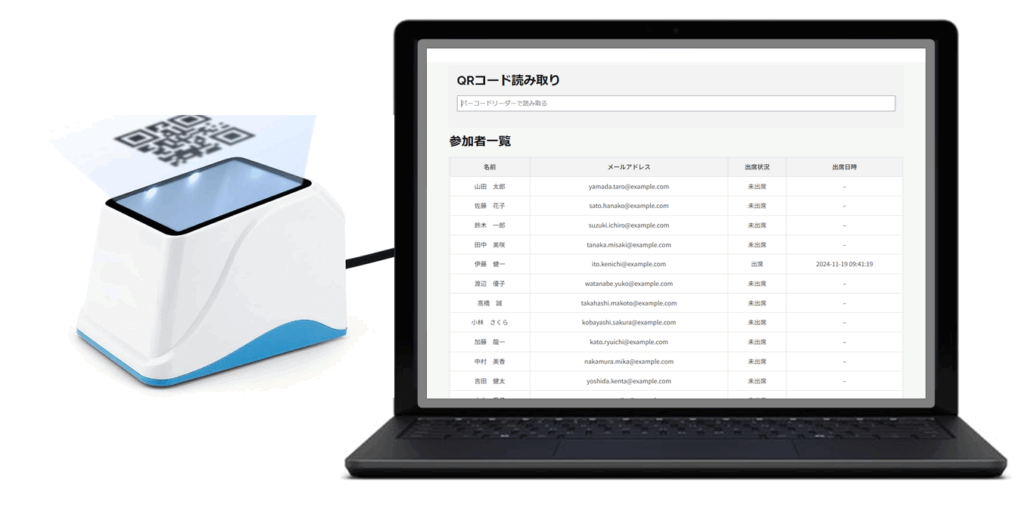
OneScan is a convenient app that allows you to manage attendance by scanning QR codes. It can be easily used on smartphones and tablets, eliminating the need for tedious registers and handwritten attendance records. For neighborhood association meetings, simply distribute attendees' QR codes in advance and scan them with OneScan on the day of the meeting to complete attendance confirmation. Total data is also automatically generated, significantly reducing the effort required for counting.
![[Part 3: Usage scenarios] Make neighborhood meetings easier with OneScan! 受付システム:onescan](https://atsys.co.jp/wp-content/uploads/2025/06/top-img-1-1024x512.png)
Rally preparation: Distribution of QR codes and advance preparation
1. Distributing QR codes to participants
Use the OneScan app to generate a QR code for each participant. You can distribute it to participants in a variety of ways, such as via email, LINE, or paper. Distributing it in advance will help ensure smooth attendance confirmation on the day.
2. Install and configure the OneScan app
The person in charge of the event should install the OneScan app and create an account in advance. Learning how to use the app beforehand will help ensure smooth operation on the day. If you have any questions, we recommend contacting OneScan's help page or support.
Flow of the day: Smooth attendance confirmation
1. Launch the app and start scanning
Before the meeting starts, start the OneScan app and prepare to scan. The app is very simple to use, so even first-time users can use it easily.
2. Scan the participant's QR code
When attendees arrive at the venue, simply scan their QR code with OneScan. The scanning speed is extremely fast, so even with a large number of attendees, attendance confirmation can be completed in a short time.
3. Checking attendance
Once scanning is complete, you can check attendance status on the app. This allows you to grasp attendance status in real time, which is useful for meeting management.
Aggregation and utilization: Improve your next meeting with data analysis
OneScan automatically generates aggregate attendance data, which can be useful when planning your next meeting. For example, you can analyze low-attendance times and consider changing the meeting time, or analyze attendee demographics to come up with ideas to attract more attendees.
Benefits of OneScan
Time saving
This can significantly reduce the time required compared to traditional handwritten attendance checks.
Improved accuracy
This reduces human error and allows for accurate attendance records.
Efficiency
By streamlining the counting process, the overall burden on running the meeting can be reduced.
Improvement through data analysis
Attendance data analysis will help improve your next meeting.
summary
OneScan is a powerful tool for running neighborhood association meetings smoothly and efficiently. By significantly reducing the effort required for attendance confirmation and the burden of counting, it reduces the burden on meeting organizers and enables more fulfilling meeting management. Why not try OneScan and make your neighborhood association meetings easier?