
Make various events more fun with OneScan!
Do you want to reduce the hassle of reception at various events? OneScan is a convenient reception management system that can be used for any event. In this article, we will introduce more examples of how OneScan can be used and give you tips to make your events more enjoyable and run more smoothly!
What is OneScan?
OneScan is a reception management system that utilizes QR codes. It allows participants to check in quickly and accurately, significantly reducing the burden on reception staff. No complicated settings are required, and its intuitive operation is also appealing.
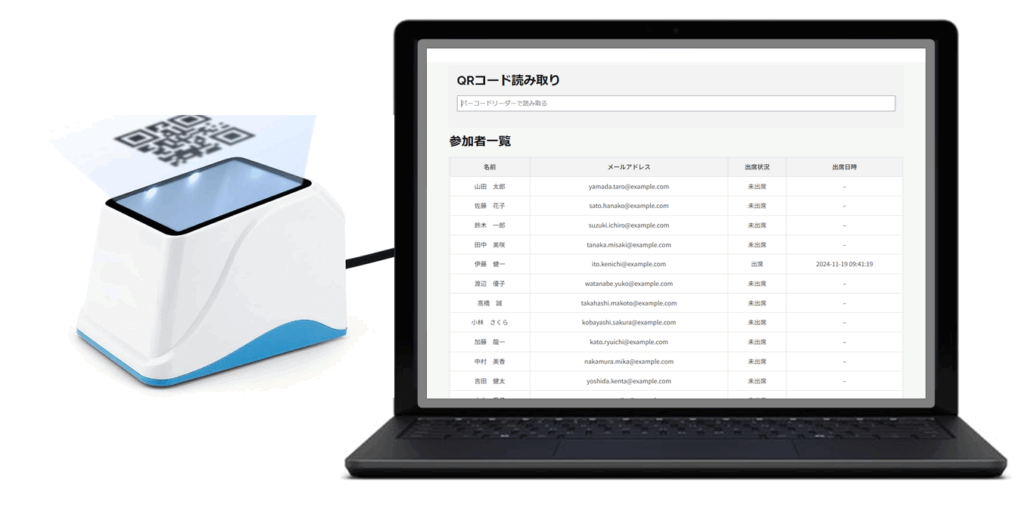
Examples of use at various events
1. Corporate Events
OneScan can handle any corporate event, from large-scale employee training sessions to small meetings. It covers all the functions necessary for event management, such as participant registration management, attendance confirmation, and survey collection. A smooth reception process will leave a good impression on participants and lead to the success of your event.
2. Lectures and seminars
At lectures and seminars, pre-registration and distribution of materials are made more efficient. Using OneScan eliminates congestion at the reception desk and ensures a smooth start to the event. It also makes it easier to collect participant data, which can be used to plan future events.
3. Weddings and parties
At weddings and parties, OneScan makes guest reception smoother. You can check the arrival status of guests in real time, making it easier to manage the progress. It can also be integrated with functions to liven up the event, such as photography.
4. Sporting Events
OneScan is also effective for events with large numbers of participants, such as marathons and sports classes. It can efficiently manage everything from participant check-in, timekeeping, and results announcements. Smooth handling of participants leads to increased satisfaction at the event.
Tips to make your event more fun with OneScan
1. Provide thorough advance notice to participants
Avoid confusion at the reception by clearly explaining to participants how to use OneScan in advance. Explain clearly how to display the QR code and how to download the app.
2. Provide thorough training to reception staff
By carefully training your staff on how to use OneScan, you can ensure smooth reception operations. Be sure to also confirm in advance how to respond if a problem occurs.
3. Use a design that matches the theme of the event
By customizing the OneScan screen design to match the theme of your event, you can enhance the overall atmosphere of your event, leaving a good impression on attendees and increasing their satisfaction with the event.
summary
OneScan is a powerful tool for running various events smoothly and enjoyably. Use the use cases and tips introduced in this article to introduce OneScan and make your event even more successful!